Protocol — The Deep Review
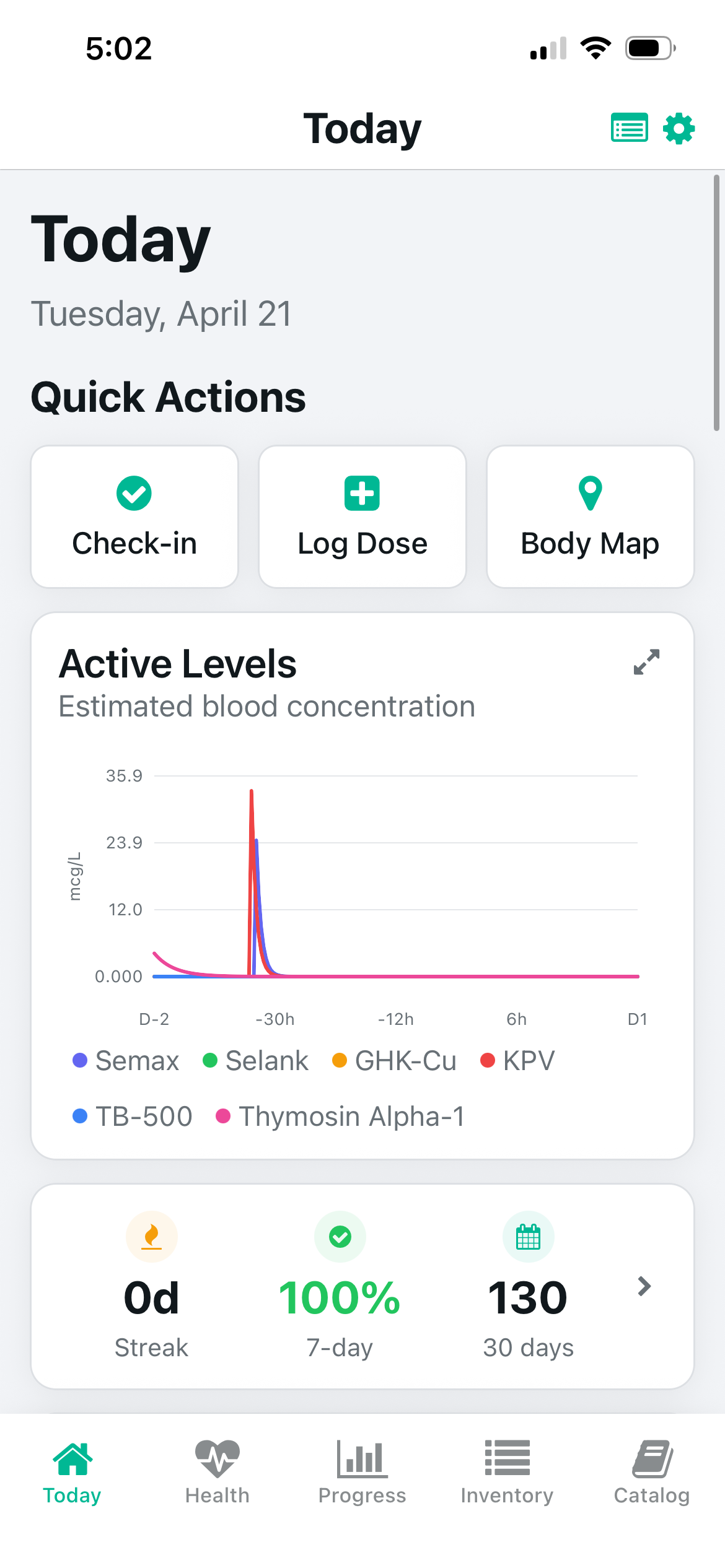
Protocol's today screen — active compound levels, upcoming doses, and injection history
Protocol is the only free peptide tracker that handles every component of a complex research protocol: reconstitution calculation (including the Custom Draw reverse mode that no other app has), multi-compound logging with independent dose histories, injection site rotation using a 3D body map, bloodwork tracking with trend visualization, PK half-life modeling for 22 compounds, TRT ester conversion, and stack cost estimation. These are not incremental improvements over competitors — each represents a category where Protocol is the only solution.
The architecture reflects a genuine opinion about what serious protocol tracking requires. Data stays on-device. No account, no server, no privacy tradeoffs. The stealth mode (changes the home screen icon and display name) is a niche feature that matters to a specific segment of users who want complete discretion.
The Android launch in May 2026 was significant — Protocol is the only full-featured peptide tracker that runs natively on Android. The iOS app launched years earlier; the Android version launched with full feature parity, not a reduced-capability port.
Genuine limitations: No iCloud sync across iPhone and iPad. No PDF export for sharing with providers (PepTracker has this). No lock screen or home screen widgets (Dose has this). The AI features, while capable, are a premium layer — understanding the app's full depth takes time.
PepTracker — The Deep Review
PepTracker's strength is its simplicity at the entry level. The template library — pre-built protocols for BPC-157, TB-500, Ipamorelin, and other common compounds — gets a first-time user dosing correctly in minutes. The UI is clean and the onboarding friction is low. For someone running their first peptide protocol on iOS, this is a genuinely good starting point.
The free tier cap at 2 protocols is PepTracker's primary structural limitation. It's sufficient for a simple single-compound protocol, frustrating for anyone running a stack. The missing features (Custom Draw, PK modeling, TRT tools, bloodwork tracking, Android) aren't gaps for beginners — they become gaps as protocol sophistication grows. PDF export to a provider is a thoughtful feature that Protocol doesn't match.
Dose — The Deep Review
Dose has the best UI design in the category. The hierarchy, spacing, and interaction design show professional craft. The lock screen and home screen widgets are genuinely useful for twice-daily protocols — a glance at your lock screen tells you what's due without opening the app. Side effect logging per dose is implemented more intuitively in Dose than in most competitors.
The hard limitation: Dose is iOS only, and the calculator suite doesn't extend beyond basic reconstitution. Anyone who needs Custom Draw, PK modeling, or TRT ester calculations will need a separate tool. For simple protocols on iOS where visual polish matters more than calculator depth, Dose is worth the download.

